Your resumé is your first impression

Whether you're applying for an internship, job, or graduate program, your resumé is a personal marketing tool that tells employers:

“I’m qualified, I’m capable, and I’m ready to contribute.”

This page walks you through how to build a strong, strategic, and professional resumé—step by step. You’ll learn how to format your resumé correctly, write bullet points that highlight your impact, and prepare it to pass applicant tracking systems (ATS).

Resumé Overview

A resumé is a professional summary that markets your most relevant qualifications to an employer. It highlights your education, experience, skills, and accomplishments in a format that is clear, concise, and tailored to the specific position you’re seeking.

The purpose of a resumé is to quickly communicate to the employer:

  • Who you are professionally
  • What position or role you’re targeting
  • Why you're a strong candidate worth interviewing

A well-crafted resumé should answer three key questions:

  1. Who are you professionally?
  2. What role are you pursuing?
  3. What value do you bring to the organization?

A resumé is not a comprehensive list of everything you’ve ever done—it’s a strategic marketing document that is achievements based and highlights your most relevant qualifications for a specific opportunity. The primary goal is to get you the interview. Most employers only spend 10–15 seconds scanning a resumé at first glance, so it must be clear, targeted, and results-driven.

resume icon

Formatting & Presentation Tips

  • Length: Keep your resumé to one page unless you have significant, relevant experience. A two-page resumé is acceptable for students with extensive research, internships, or work history.
  • Reverse Chronological Order: List your experiences starting with the most recent and working backward. This applies to education, work experience, and other dated sections.
  • Content Prioritization: Place the most relevant and impressive information near the top of each section. If using two columns (not recommended for ATS), ensure critical content appears on the left.
  • Tailoring: Customize your resumé for each role you apply to. Highlight experience and skills that directly match the job description. Quality over quantity increases the chance of getting noticed.
  • Clarity & Language: Use concise phrases, not full sentences. Avoid personal pronouns like “I” or “my.” Stick to professional, direct language.
  • Professionalism: Present yourself with integrity and polish. Avoid controversial topics, explanations for leaving previous jobs, or negative language. Make sure all information you provide is factual and accurate.
  • Design Consistency: Use one font throughout (e.g., Arial, Calibri, Times New Roman, or Garamond). Maintain consistent font sizes: 11–12 pt for body text and 12–14 pt for section headings.
  • Margins: Use standard 1-inch margins, or reduce to 0.5 inches if space is tight.
  • File Format: Save and submit your resumé as a PDF, unless otherwise specified. PDFs preserve formatting and ensure your resumé looks professional when opened.
  • Exclude Photos & Personal Info: Do not include your age, marital status, number of children, or a headshot.
  • References: Do not include references directly on the resumé. Use a separate document to list references. For consistency, use the same heading, font type, and font size for your reference page as you do on your resumé.
  • Color: If you choose to use color on your resumé, use it sparingly. Limit color to only the section headings and avoid bright, flashy colors that may come across as unprofessional.
  • ATS Compatibility: Avoid using tables, columns, images, or graphics. Stick to simple, linear formatting so Applicant Tracking Systems (ATS) can accurately scan your document.

Types of Resumés

Chronological

Lists your experience starting with the most recent and working backward.

Best for: Students with consistent work, internship, or leadership experience

ATS-friendly: Yes

Functional (Skills-Based)

Organized by skill categories rather than job titles.

Best for: Career changers, students with limited experience, or gaps in employment

ATS-friendly: Use with caution—some systems may not parse it correctly

Combination (Hybrid)

Highlights skill categories or projects first, followed by chronological work history.

Best for: Students with project-based or transferable experience

ATS-friendly: If formatted clearly

Resumé Structure & Section Order

The following sections are commonly included on a student resumé. You may not have all of these—and that’s okay. Choose the sections that best highlight your background and are most relevant to the opportunity you’re applying for.

Recommended Order for Most UVU Students

1. Contact Information

Include:

  • Full Name
  • Phone Number
  • Professional Email
  • City/State (optional)
  • LinkedIn URL
  • Portfolio or GitHub (if applicable)

Do not include your home address, photo, birthdate, or personal details.

Example

Jane Smith


Orem, UT | 801-555-5555 | [email protected] | https://www.linkedin.com/in/janesmith

2. Professional Summary (Optional)

A short branding statement (2–3 sentences) that explains what you bring to the table. Focus on value, not personal goals. Do not include any personal pronouns.

Example:

Marketing student with internship experience in digital campaigns and event planning. Skilled in Canva, content creation, and driving engagement through targeted strategy.

3. Education

Include educational information for degrees that are completed and/or in progress. List the most recent degree first. If you are a current college student.... or a college graduate .... do not include high school information. GPA should only be listed if it’s 3.5 and above. Relevant coursework may be listed as a sub-heading. Use bullet points to list course titles, or separate titles by commas.

Example:

Bachelor of Science, Psychology

Utah Valley University, Orem, UTAnticipated Graduation, May 2026

  • GPA: 3.7

Relevant Coursework

  • Behavioral Statistics
  • Abnormal Psychology
  • Research Methods

4. Certifications

List current, relevant certifications with expiration or completion dates.

Examples:

  • Google Analytics CertificationFeb 2024
  • CPR & First Aid – American Red CrossValid through 2026
  • Adobe Certified Associate – Photoshop Dec 2023

5. Achievements

Use this section to showcase academic and professional honors. If you include an ‘Achievements’ section, GPA may be listed here instead of in the ‘Education’ section if you prefer.

Examples:

  • UVU Presidential Scholarship
  • Dean’s List: Fall 2023 – Spring 2024
  • Outstanding Presenter – UVU Research Symposium
  • Community Impact Scholarship Recipient

6. Skills

Include technical or job-specific skills relevant to the role. Group by category if needed.

Example 1:

  • Technical: Excel, Canva, Tableau, Salesforce
  • Languages: Spanish (Conversational), ASL (Basic)
  • Analytical: Data Analysis, Project Management, Event Logistics

Example 2:

  • Data Analysis
  • Project Management
  • Salesforce
  • Excel
  • Canva
  • Event Logistics
  • Tableau
  • Spanish

Avoid generic soft skills such as organized, time management, teamwork, hard worker, etc. Show those through your experience bullet points instead.

7. Work Experience

This section tells employers how you've applied your skills in real-world settings. It includes jobs, internships, leadership roles, volunteer work, or relevant freelance experience.

Formatting Basics

  • Job Title (bolded)
  • Organization, City, State
  • Dates of Employment (right-aligned)
  • 3–5 bullet points describing your accomplishments and outcomes

Sample Experience Entry

Utah Valley University - Career & Internship Center, Orem, UT

Peer Career Advisor Aug 2023-Present

  • Delivered 12+ resumé and LinkedIn workshops to student audiences of 25–100 attendees
  • Reviewed 120+ student resumés and cover letters, tailoring each for job or internship goals
  • Reduced appointment wait times by 15% through improved intake procedures
  • Maintained records and communications using Handshake and Outlook

8. Leadership Experience (optional)

9. Project Experience (optional)

Not every student will have all of these sections. If a section doesn’t apply to you, leave it off and focus on what is relevant and current.

How to Write Strong Bullet Points

Your bullet points are not just task lists—they’re proof of your value.

Use this formula for each one:

Strong Action Verb + Accomplishment + Outcome/Result

Tips for Crafting Effective Bullet Points:

Your bullet points should be detailed and specific, helping the reader understand exactly what you did, how you did it, and how it added value. Avoid vague or generic phrases—employers want to see the impact of your work clearly.

  • Start with a strong action verb
  • Quantify whenever possible
    Numbers make your impact tangible: How many? How much? How often?
  • Focus on accomplishments—not just tasks
  • Include transferable skills
  • Use past tense even with current positions – you are highlighting accomplishments you have achieved rather than daily duties

Before and After Bullet Point Examples

Weak:

  • Helped with event planning
  • Answered phones and filed paperwork
  • Worked with students on resumes

Strong:

  • Coordinated logistics for 4 large-scale student events, increasing attendance by 40%
  • Answered 25–30 incoming calls daily, resolving concerns and redirecting to correct departments
  • Reviewed 100+ student resumés with a focus on tailoring content for job descriptions and ATS-readiness

Handshake logo

 Upload Your Resumé to Handshake

After polishing your resumé, save it as a PDF and upload it to Handshake—our online platform that connects you with internships, part-time jobs, full-time roles, and exclusive events.

  1. Log in to Handshake using a web browser (not the mobile app) with your UVID and password
  2. Click on your account icon located at the top right corner of the screen
  3. Click on ‘My Documents’
  4. Upload resume’ in PDF format using your first and last name in the file name

Why It Matters:

  • Employers actively search Handshake for student candidates
  • Better job recommendations are tailored to your resumé and experience
  • You’ll appear in employer resumé drops and recruiting campaigns
  • Your profile becomes stronger and more visible to top companies

Keep your resumé updated each semester to reflect new skills, roles, and achievements.

Login to Handshake

Get Instant Feedback with Quinncia

Want instant, personalized feedback on your resumé? Use Quinncia, our AI-powered resumé review tool designed specifically for students. Upload your resumé and get detailed insights on formatting, grammar, word choice, and how well your content aligns with your desired industry.

Quinncia provides:

  • Instant suggestions to improve your resumé’s structure and clarity
  • Feedback on ATS compatibility and keyword optimization
  • Tips on how to better showcase your skills and accomplishments

Visit Quinncia to get started

Quinncia logo

What is an ATS and Why Does it Matter?

An Applicant Tracking System (ATS) is a type of software used by nearly 90% of employers to manage and filter job applications. It acts as a digital gatekeeper, scanning resumés to determine which candidates are the best match before a hiring manager ever reviews them.

Whether you're applying through a job board like LinkedIn or Indeed—or directly through a company’s website—your resumé almost always goes through an ATS.

These systems extract plain text from your document, parse the information into structured data fields (like education, skills, and job titles) using an algorithm, and then scans for keywords and phrases that align with the job description. And here’s the hard truth: Roughly 70–80% of resumes never make it past the ATS.

That means even highly qualified candidates can get rejected—not because they lack experience, but because their resumé wasn’t formatted correctly or didn’t include the right keywords.

How to Make Your Resumé ATS-Friendly

  1. Use Clean, Traditional Formatting
    Avoid using templates with two columns, text boxes, tables, images, or graphics. ATS software may skip over or misinterpret this content completely. Stick to a single-column layout with traditional headings like:
    • Education
    • Work Experience
    • Skills
    • Certifications
    • Project Experience
  2. Match Keywords from the Job Description
    ATS software looks for keywords and phrases that match the job posting. Study the job description and echo the exact terms used—especially for skills, tools, job titles, and certifications.
    Example: If the job asks for “project coordination,” don’t just say “led teams”—use the same language.
    However, don’t keyword stuff—make sure everything reads naturally.
  3. Save and Submit the Right File Type
    The best formats are:
    • Text-based PDFs (exported directly from Word or Adobe PDF)
    • Word Documents (.docx)

    Avoid:

    • Canva or other online resume builders—they often use hidden text boxes that ATS software can’t read.
    • Image-based or scanned PDFs—ATS can't extract text from an image.
    • Saving Word to PDF using “Save As” on a PC—this can create encoding issues. Use “Save as Adobe PDF” or Word’s “Export” feature instead.
  4. Stick to Standard Fonts and Styles
    Use fonts that are universally readable by ATS software:
    • Arial
    • Calibri
    • Times New Roman
    • Garamond

    Use 11–12 pt for body text, with slightly larger font sizes for your name and section headers. Avoid using more than two different font styles and three sizes total.

  5. Optimize the Skills Section
    Include a separate Skills section, formatted with bullet points or columns (not in a paragraph format).
    Use individual bullet points or commas for each skill so the ATS recognizes them as separate items.
  6. Include Dates and Use Chronological Format
    Always include dates for each job and stick with a reverse chronological format (most recent first). Functional resumes don’t score well with ATS systems because they lack context and continuity.
  7. Label Your Sections Correctly
    ATS software looks for standard headings. Use clear labels like “Work Experience,” “Education,” “Skills,” and “Certifications.” Avoid creative alternatives like “What I’ve Done” or “My Journey”—these won’t be recognized.
  8. Proofread Carefully
    Misspelled words can confuse an ATS and prevent your resume from ranking. Don’t rely solely on spell check—read it manually or have someone else review it.

How to Test Your Resume for ATS Compatibility

Want to know if your resume will pass the test? Here’s a quick trick:

  • Open your PDF using Adobe Acrobat.
  • Copy and paste the full text into a blank Word document.
  • If the formatting looks correct and all text is present, your resume is likely ATS-friendly.
  • If you see odd symbols, content grouped into one large paragraph, missing bullet points, jumbled text, or broken formatting, the file may be corrupted and unreadable by ATS.

Pro Tip:

While two-column resumes might look modern and sleek, most ATS systems can't interpret content in the second column. This can lead to missing or misplaced information. Play it safe: Use a clean, single-column layout for any job you’re applying to online.

Note: This doesn’t mean you can’t organize specific sections (like Relevant Coursework or Skills) into two or three bullet columns within a single-column resume. That’s totally fine. ATS systems can still read those because the layout remains linear, and content stays within one main text stream. It’s the overall two-column structure—where entire sections like experience or education are off to the side—that causes problems.

Is Your Resumé ATS-Ready?

Make sure your resumé doesn’t get filtered out by technology before a human ever sees it.

DOWNLOAD OUR FULL ATS RESUMÉ GUIDE This comprehensive handout includes formatting tips and real-world dos and don’ts to help you create a polished, professional resume that makes it past ATS and into the hands of hiring managers.

Resumé Action Verbs

Use these strong action verbs to enhance your resumé and clearly showcase your skills, achievements, and experience. These verbs are categorized to help you select the most appropriate language for various types of roles and responsibilities.

Leadership

  • Administered
  • Appointed
  • Approved
  • Assigned
  • Chaired
  • Coordinated
  • Delegated
  • Directed
  • Enforced
  • Executed
  • Facilitated
  • Founded
  • Guided
  • Headed
  • Hired
  • Managed
  • Mentored
  • Mobilized
  • Monitored
  • Motivated
  • Organized
  • Oversaw
  • Planned
  • Presided
  • Prioritized
  • Produced
  • Recommended
  • Reorganized
  • Reviewed
  • Supervised

Communication

  • Addressed
  • Advertised
  • Arbitrated
  • Articulated
  • Authored
  • Briefed
  • Co-authored
  • Composed
  • Consulted
  • Contacted
  • Conveyed
  • Corresponded
  • Debated
  • Defined
  • Directed
  • Documented
  • Drafted
  • Edited
  • Explained
  • Illustrated
  • Interpreted
  • Interviewed
  • Lobbied
  • Marketed
  • Moderated
  • Negotiated
  • Persuaded
  • Presented
  • Promoted
  • Publicized

Research & Analysis

  • Analyzed
  • Assembled
  • Assessed
  • Audited
  • Calculated
  • Clarified
  • Collected
  • Compared
  • Compiled
  • Computed
  • Critiqued
  • Detected
  • Determined
  • Diagnosed
  • Evaluated
  • Examined
  • Experimented
  • Explored
  • Forecasted
  • Identified
  • Inspected
  • Interpreted
  • Interviewed
  • Investigated
  • Modeled
  • Monitored
  • Predicted
  • Probed
  • Questioned
  • Researched

Technical

  • Adjusted
  • Assembled
  • Built
  • Calculated
  • Coded
  • Computed
  • Configured
  • Designed
  • Developed
  • Engineered
  • Fabricated
  • Installed
  • Maintained
  • Operated
  • Overhauled
  • Programmed
  • Rebuilt
  • Remodeled
  • Repaired
  • Replaced
  • Restored
  • Serviced
  • Standardized
  • Streamlined
  • Tested
  • Troubleshot
  • Upgraded
  • Utilized
  • Verified
  • Wired

Creative

  • Adapted
  • Brainstormed
  • Composed
  • Conceptualized
  • Created
  • Customized
  • Designed
  • Developed
  • Devised
  • Directed
  • Drafted
  • Fashioned
  • Illustrated
  • Improvised
  • Initiated
  • Innovated
  • Integrated
  • Invented
  • Modeled
  • Originated
  • Performed
  • Photographed
  • Planned
  • Reconstructed
  • Redesigned
  • Revised
  • Revitalized
  • Shaped
  • Sketched
  • Visualized

Financial

  • Administered
  • Allocated
  • Analyzed
  • Appraised
  • Audited
  • Balanced
  • Budgeted
  • Calculated
  • Collected
  • Computed
  • Cut
  • Estimated
  • Evaluated
  • Forecasted
  • Generated
  • Invested
  • Managed
  • Marketed
  • Planned
  • Prepared
  • Projected
  • Reconciled
  • Reduced
  • Researched
  • Retrieved
  • Saved
  • Secured
  • Tabulated
  • Tracked
  • Updated

Teaching & Training

  • Adapted
  • Advised
  • Clarified
  • Coached
  • Communicated
  • Conducted
  • Coordinated
  • Demonstrated
  • Developed
  • Educated
  • Enabled
  • Encouraged
  • Evaluated
  • Explained
  • Facilitated
  • Guided
  • Illustrated
  • Informed
  • Instructed
  • Mentored
  • Motivated
  • Persuaded
  • Presented
  • Reviewed
  • Set goals
  • Stimulated
  • Taught
  • Tested
  • Trained
  • Tutored

Problem-Solving

  • Adapted
  • Analyzed
  • Appraised
  • Arbitrated
  • Brainstormed
  • Calculated
  • Clarified
  • Corrected
  • Detected
  • Diagnosed
  • Engineered
  • Fixed
  • Improved
  • Mediated
  • Modified
  • Overcame
  • Prevented
  • Rectified
  • Redesigned
  • Refined
  • Repaired
  • Resolved
  • Revamped
  • Simplified
  • Solved
  • Standardized
  • Streamlined
  • Strengthened
  • Tested
  • Troubleshot

Teamwork

  • Acknowledged
  • Aided
  • Answered
  • Assisted
  • Attended
  • Collaborated
  • Contributed
  • Cooperated
  • Coordinated
  • Delivered
  • Demonstrated
  • Encouraged
  • Engaged
  • Helped
  • Joined
  • Listened
  • Mediated
  • Participated
  • Provided
  • Recommended
  • Resolved
  • Shared
  • Served
  • Simplified
  • Suggested
  • Supported
  • Volunteered
  • Worked with
  • Unified
  • Teamed

Sales & Customer Service

  • Advised
  • Advocated
  • Answered
  • Arranged
  • Assisted
  • Clarified
  • Communicated
  • Consulted
  • Convinced
  • Delivered
  • Demonstrated
  • Described
  • Educated
  • Explained
  • Handled
  • Improved
  • Informed
  • Marketed
  • Negotiated
  • Presented
  • Processed
  • Recommended
  • Resolved
  • Responded
  • Served
  • Sold
  • Suggested
  • Supported
  • Trained
  • Upsold

Operations & Logistics

  • Accelerated
  • Achieved
  • Arranged
  • Assembled
  • Collected
  • Completed
  • Delivered
  • Dispatched
  • Distributed
  • Ensured
  • Executed
  • Handled
  • Implemented
  • Logged
  • Maintained
  • Managed
  • Monitored
  • Operated
  • Organized
  • Prepared
  • Processed
  • Procured
  • Received
  • Recorded
  • Scheduled
  • Shipped
  • Stocked
  • Streamlined
  • Supplied
  • Tracked

Achievement-Oriented

  • Achieved
  • Awarded
  • Completed
  • Conserved
  • Delivered
  • Earned
  • Eliminated
  • Enhanced
  • Exceeded
  • Expanded
  • Improved
  • Increased
  • Influenced
  • Initiated
  • Maximized
  • Minimized
  • Modernized
  • Optimized
  • Outperformed
  • Produced
  • Reduced
  • Resolved
  • Saved
  • Simplified
  • Spearheaded
  • Strengthened
  • Surpassed
  • Transformed
  • Upgraded
  • Won

Resume Samples

Chronological Resumés

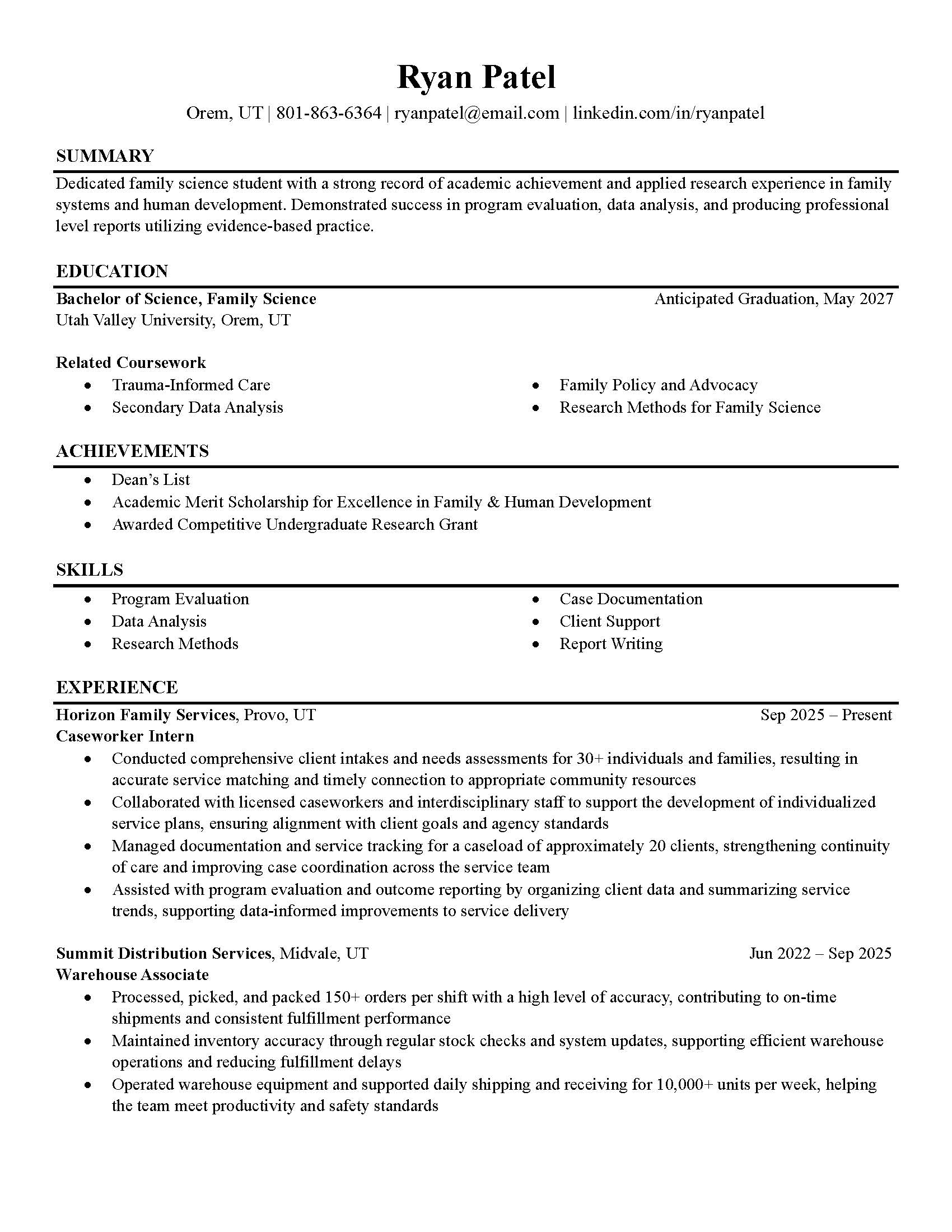
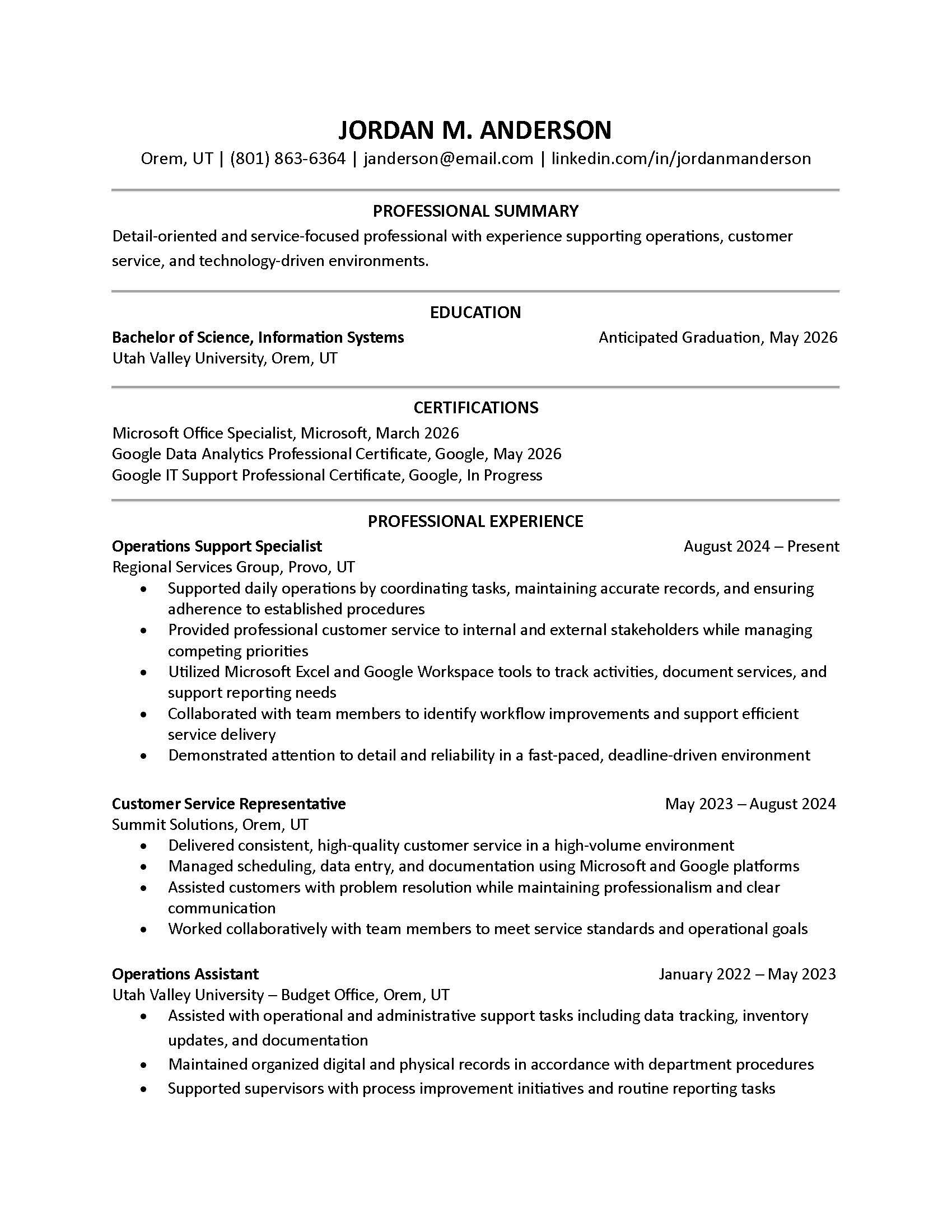
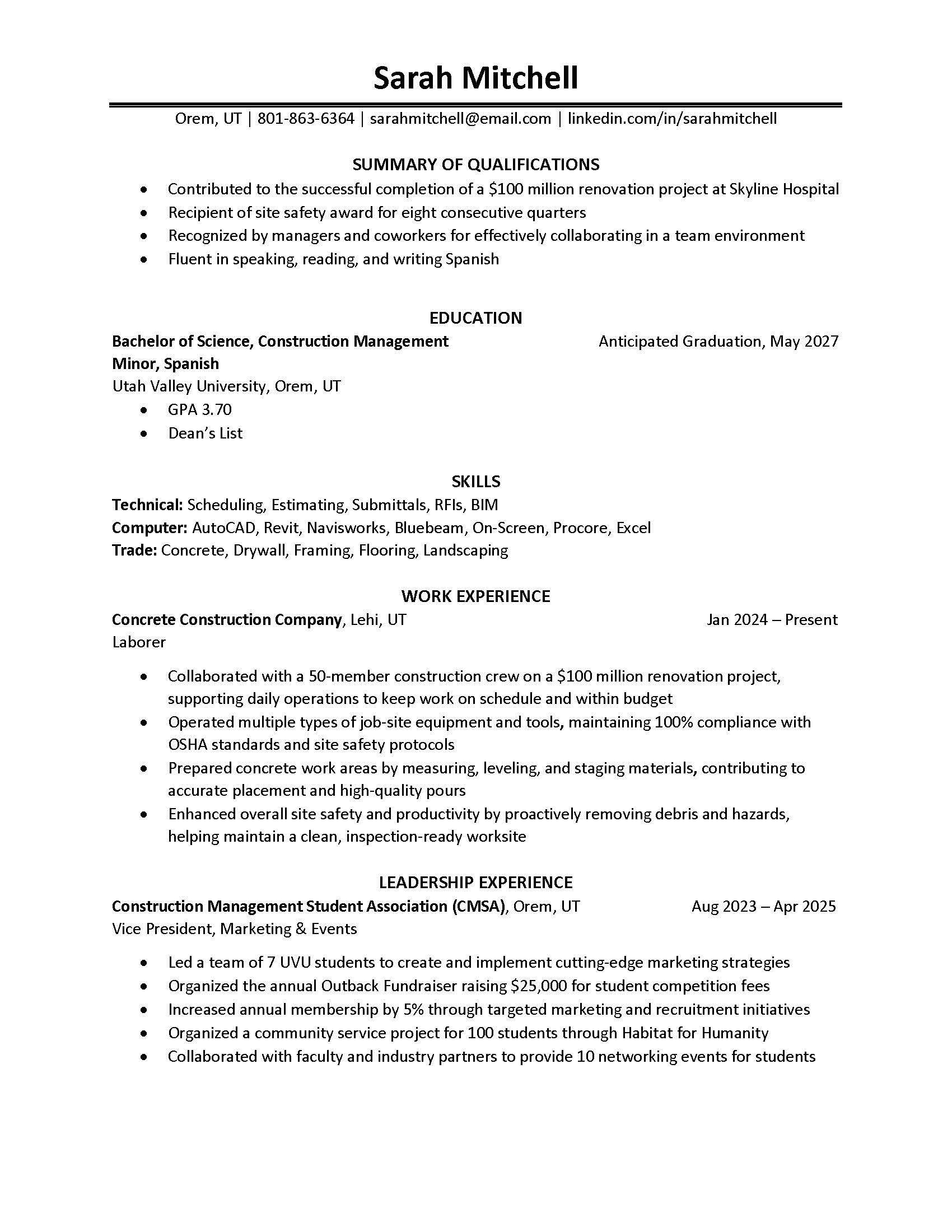
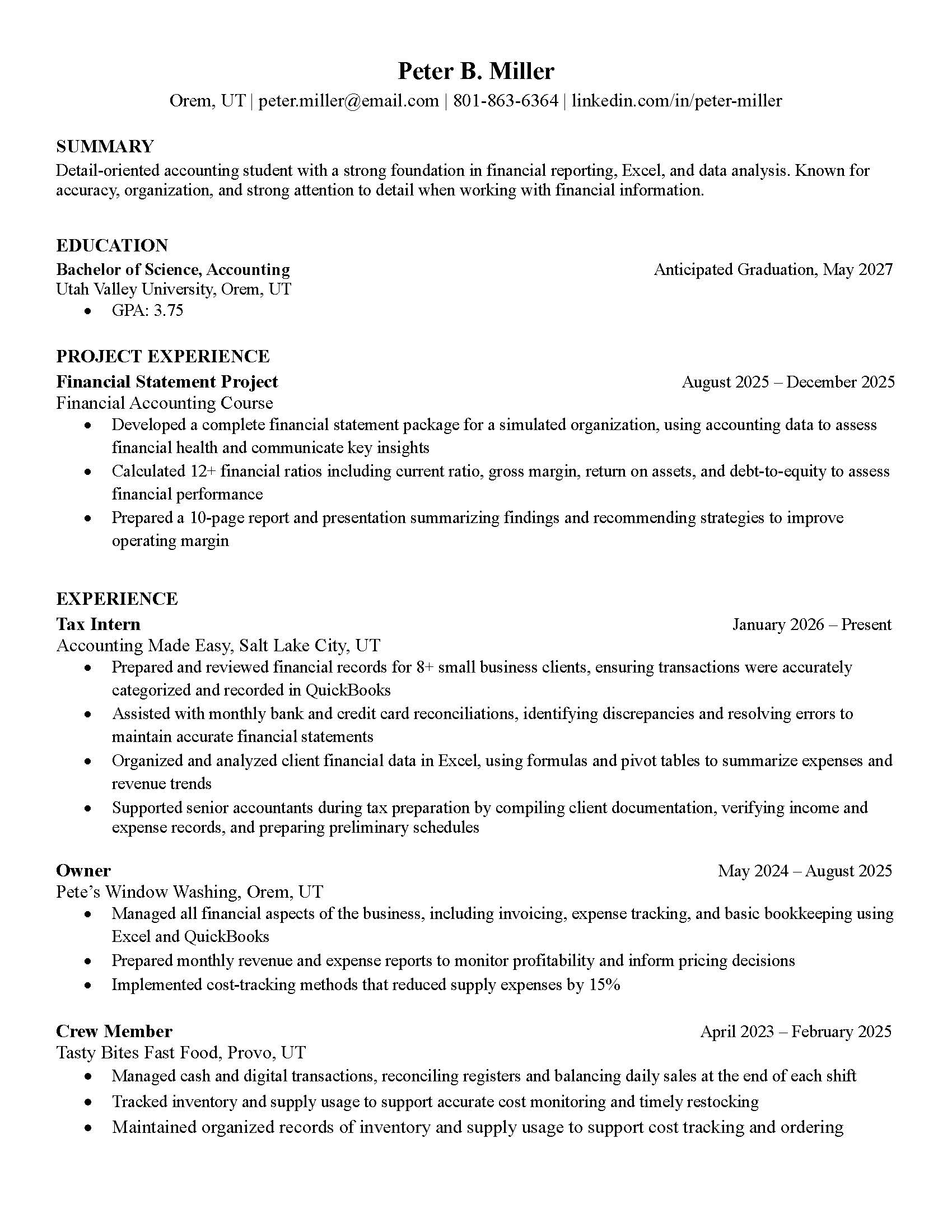
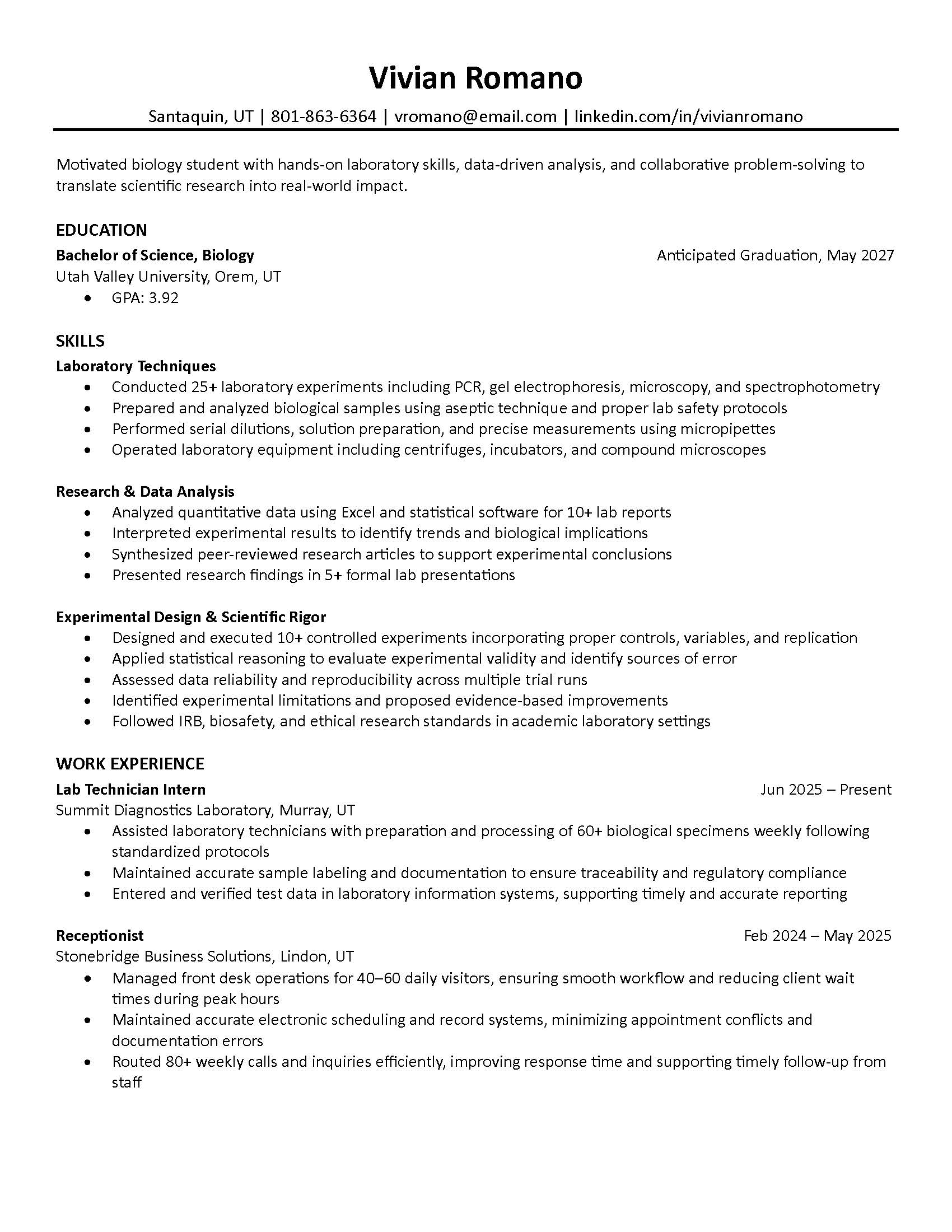
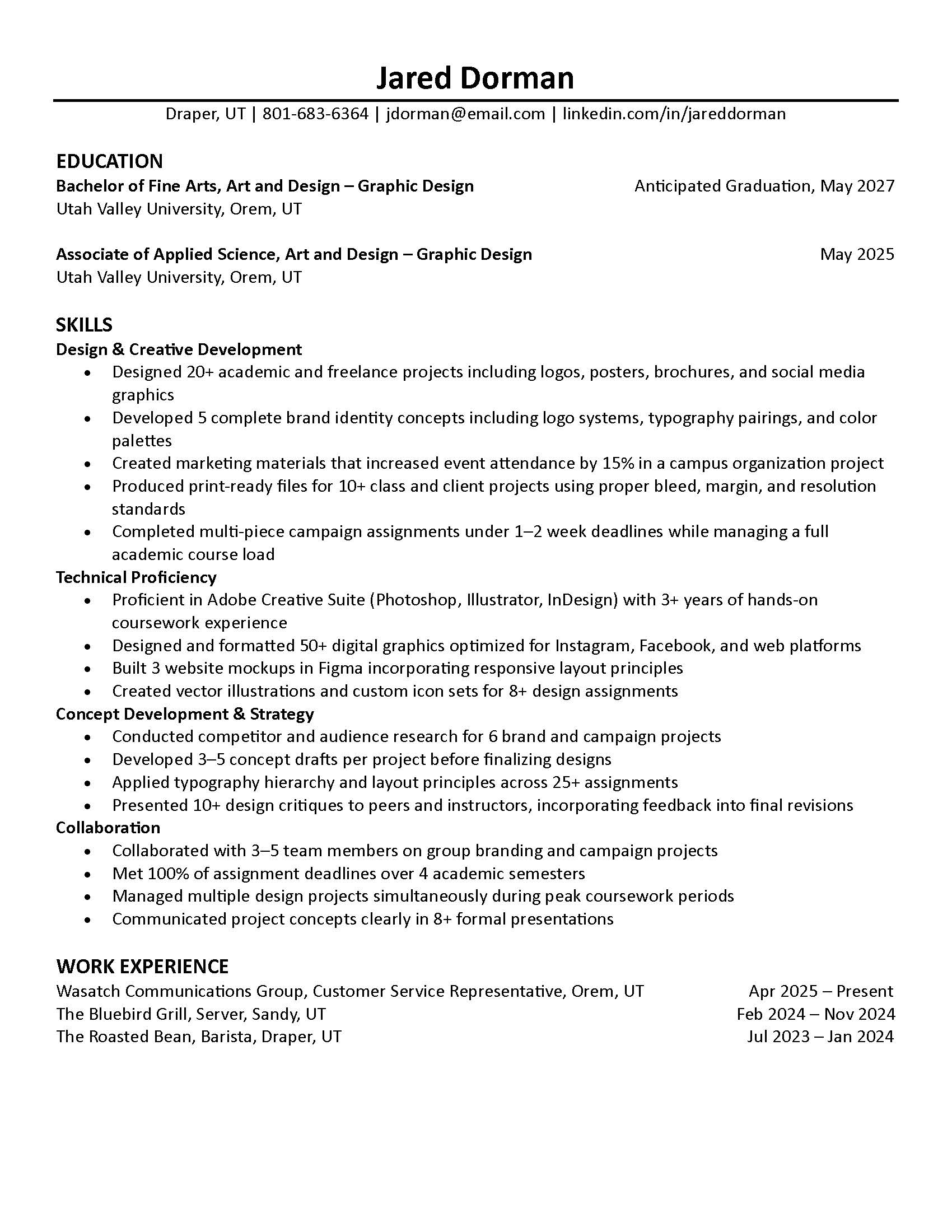
First page thumbnail of a General Resume sampleFirst page thumbnail of a Certifications Resume sampleFirst page thumbnail of a Leadership Experience Resume sampleFirst page thumbnail of a Project Experience Resume sample

Combination (Hybrid) Resumé

First page thumbnail of a Hybrid Resume sample

Functional (Skills-Based) Resumé

First page thumbnail of a Functional Resume sample

Final Checklist

  • Saved as a PDF using first and last name in the file name
  • Contact information is accurate and professional
  • Bullet points start with strong action verbs
  • Numbers or results included when possible
  • GPA shown only if 3.5+
  • Formatting is consistent throughout
  • No spelling or grammar errors
  • ATS-compatible (no graphics, columns, or design elements)
  • Tailored to the job or internship